- 16K
Customers
- 3M
Users
In this article
What is Embedded Analytics?
Embedded analytics refers to adding dashboards, reports, KPIs, and data visualizations directly into business applications and digital products so users can work with data from the same environment where business activity takes place.
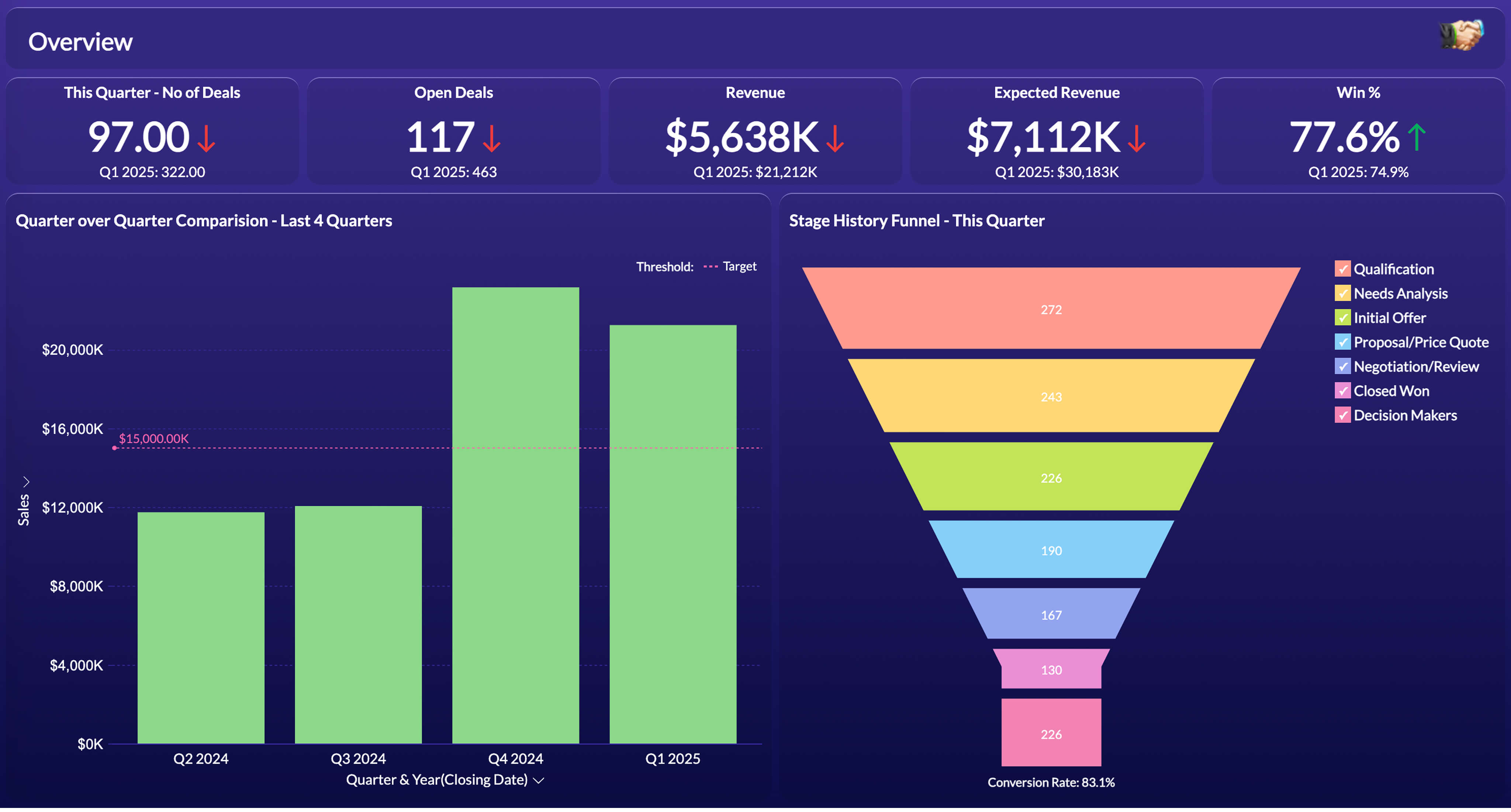
Examples of embedded analytics appear across many products: a sales team reviewing pipeline movement in a CRM, a warehouse manager tracking output in an ERP system, or a SaaS customer checking account activity through their product dashboard.
Unlike traditional business intelligence platforms, embedded analytics does not require users to move into a dedicated analytics environment to review information. Data views and analytical tools are made available as part of the product experience, allowing people to access information while continuing their existing tasks.
This shift reflects how software usage has evolved. Access to business metrics and operational data is increasingly treated as a standard product capability across customer-facing and internal systems. When analytics is separated from the software people use every day, information often becomes less accessible and requires additional navigation before action can be taken.
Embedded analytics addresses this by making dashboards and analytical views available within the product environment. Supporting this model typically involves connecting data sources, preparing data for analysis, generating analytical outputs, and presenting them in a way that aligns with the surrounding application experience.
For software providers, embedded analytics has also become a common way to extend product functionality with data access and customer-facing analytics without introducing a separate reporting destination.
How Does Embedded Analytics Work?
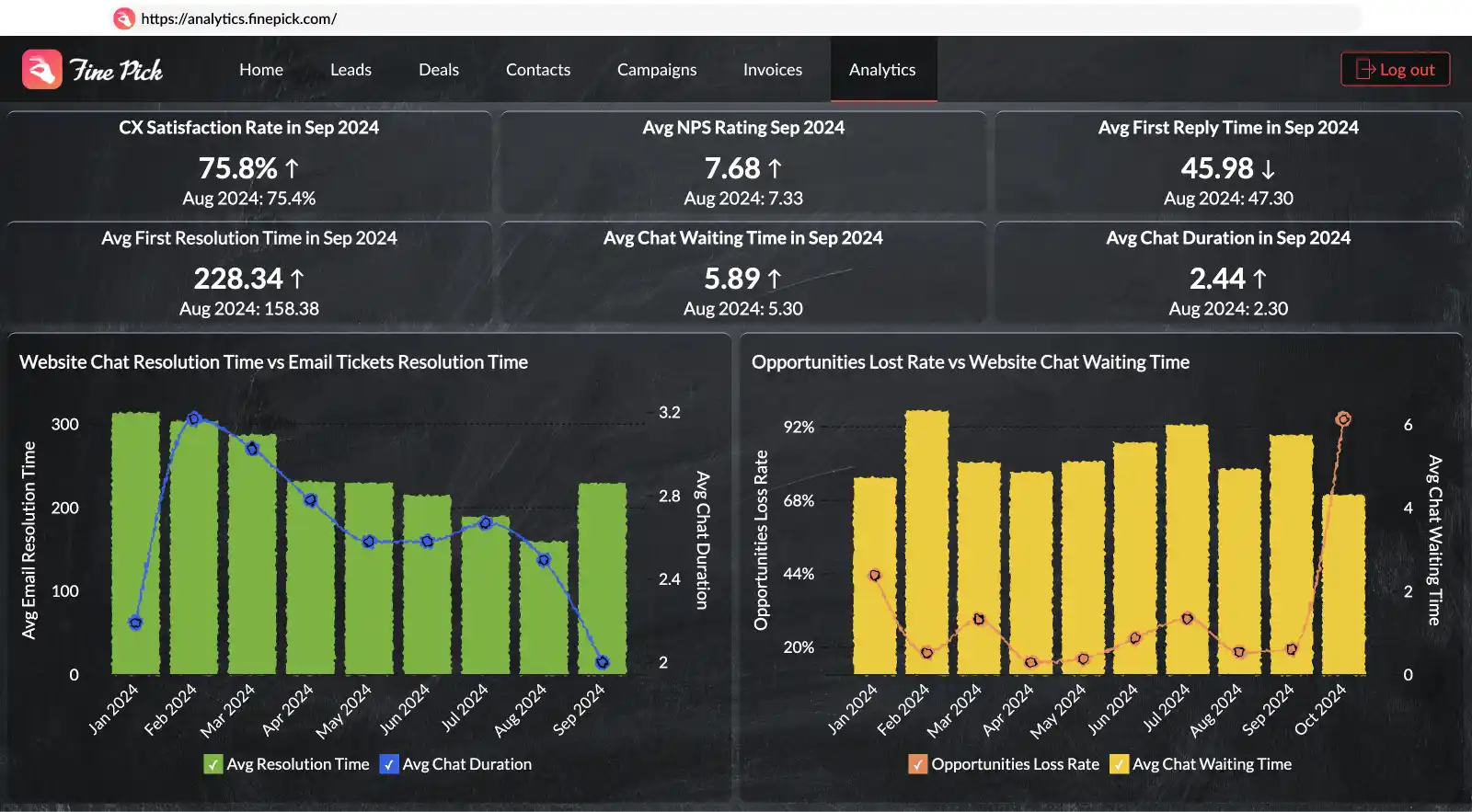
Embedded analytics connects reports with the applications where people already work and access business information. Behind that process are several stages that prepare data, organize it for analysis, and make dashboards available inside the product.
Data collection
Business data is collected from sources such as CRMs, ERPs, databases, spreadsheets, and cloud applications. Depending on the reporting use case, this may include sales activity, customer metrics, operational records, or application data.

Data preparation and modeling
Collected data is prepared through transformation steps such as joins, aggregations, calculated fields, and business rules. Organizations then create data models that reflect how they measure performance and organize information.

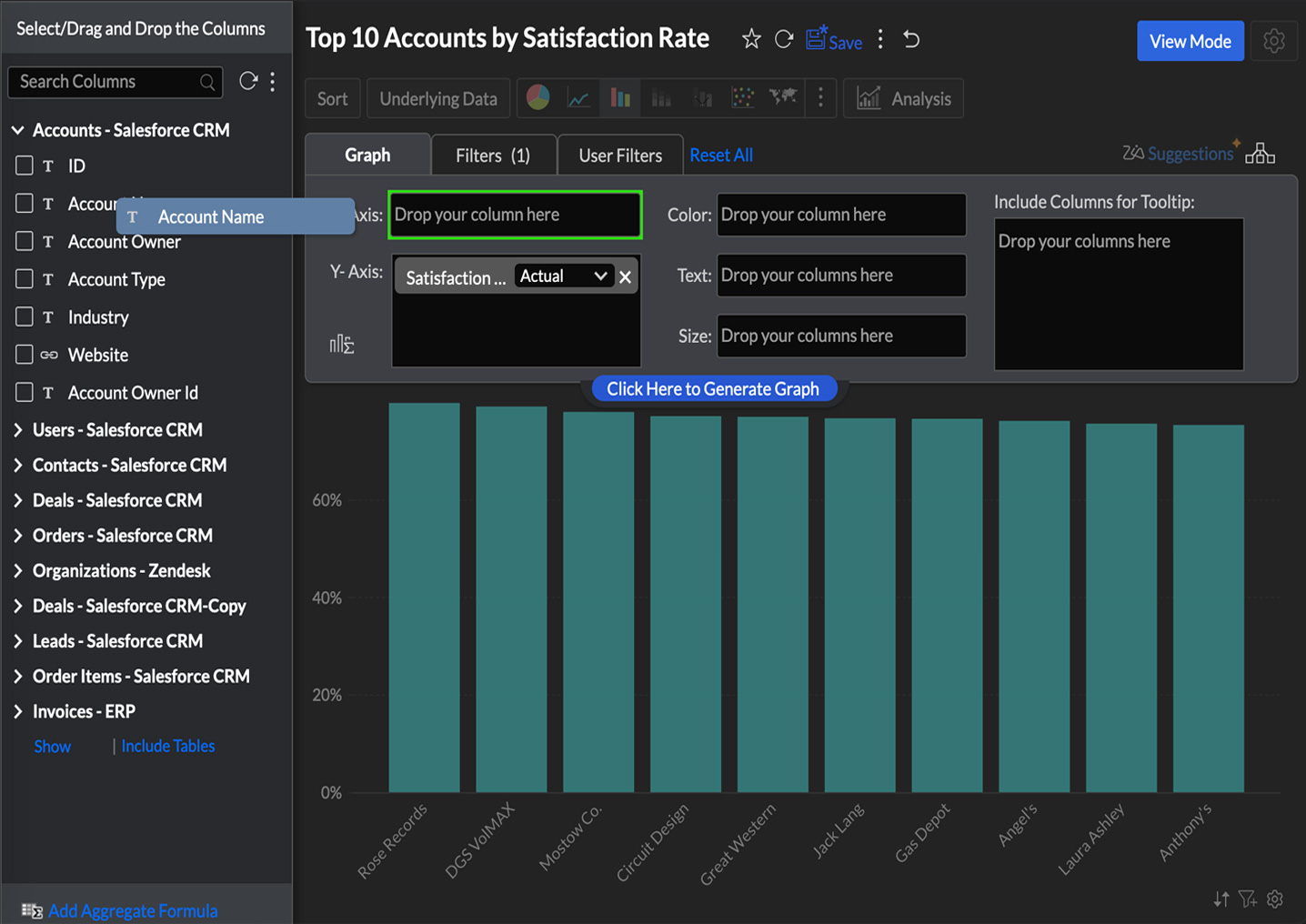
Report creation and visualization
Prepared data is converted into reports, KPI widgets, charts, pivot tables, and dashboards. Filters, drill-down paths, and report controls allow people to examine data without switching to a separate reporting tool.
Embedding and access configuration
Reports and dashboards are introduced into the application through APIs. Zoho Analytics supports configuration options including white-labeling, SSO, role-based access control, and multi-tenant deployment so reporting remains connected to the application and follows existing access settings (Know more about white-labeled reporting).
Use Cases of Embedded Analytics
Organizations introduce analytics differently depending on product type, operating model, and the type of information people need to review.
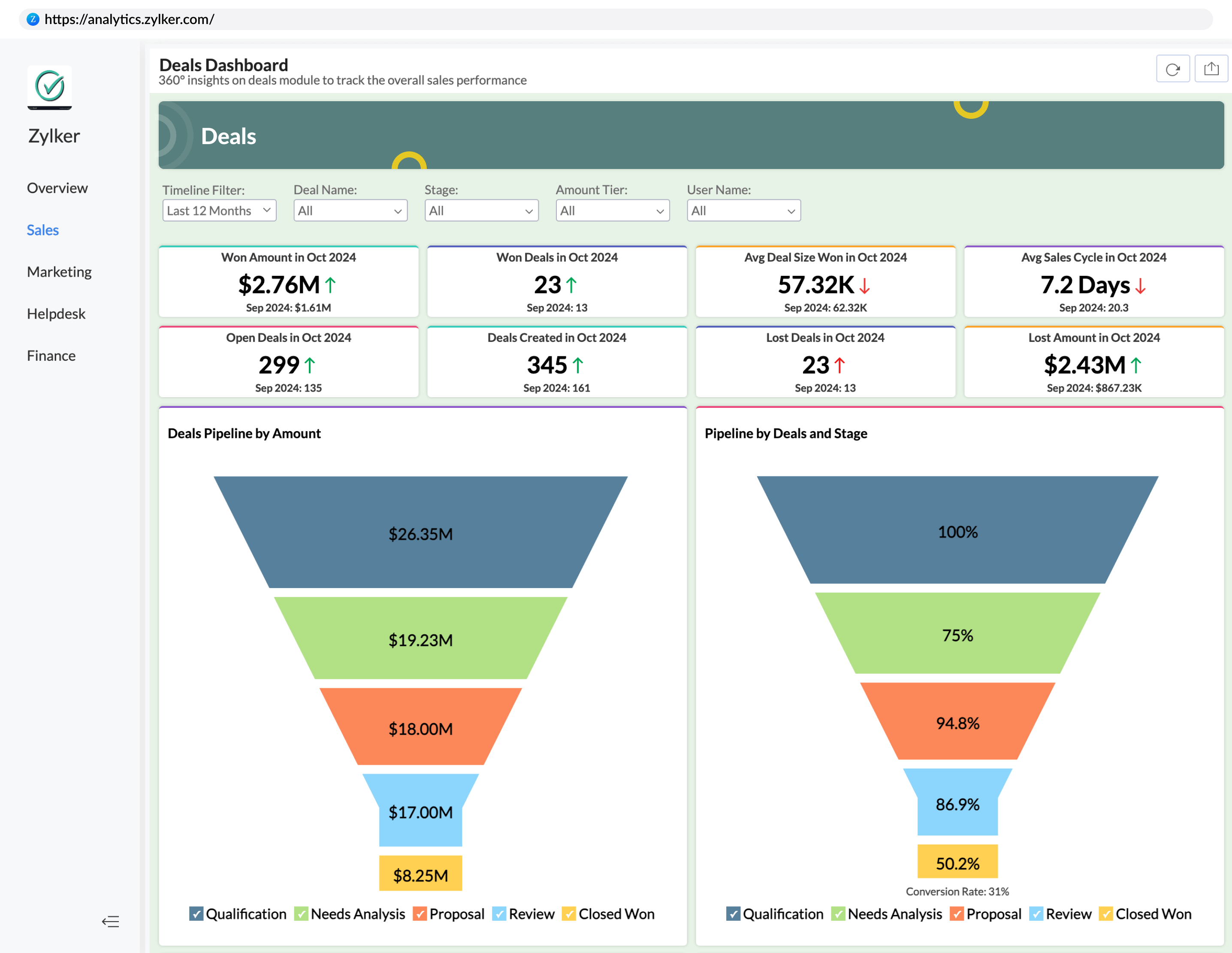
ERP Platforms
ERP systems generate operational data across purchasing, inventory, finance, HR, and sales. Teams often need visibility into performance without exporting data into spreadsheets or waiting for scheduled reports.(Learn more about embedded analytics for sales within ERP contexts).
Embedding analytics directly into ERP workflows allows teams to:
- Track operational KPIs
- Compare actual performance against targets
- Monitor fulfillment and service metrics
- Review trends over time
SaaS Applications
Customers increasingly expect reporting to be built into the software they use. Embedded analytics helps SaaS products provide visibility into account activity, adoption patterns, and business outcomes without requiring users to leave the platform. (Learn more about embedded analytics for SaaS)
Common SaaS reporting scenarios include:
- Usage and adoption dashboards
- Subscription performance reporting
- Customer-facing analytics portals
- Product engagement tracking
- Service utilization monitoring
Custom Internal Platforms
Many internal systems still rely on recurring requests for reports, which slows access to information. Adding analytics directly into internal tools allows managers and teams to review business data while working inside existing processes. (Know more on embedded analytics for fintech)
Examples include:
- Finance review portals
- Operations dashboards
- Support performance monitoring
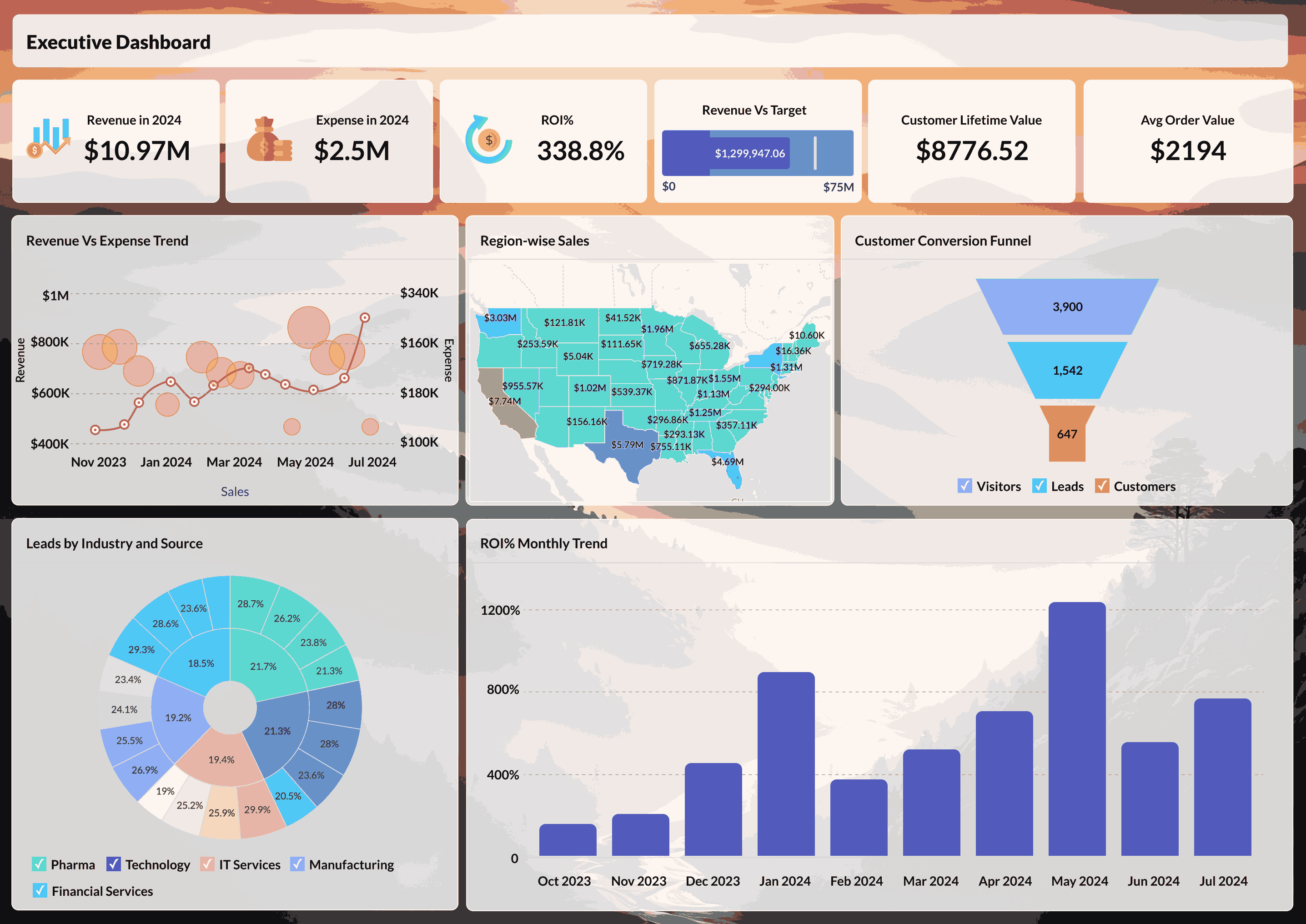
- Executive reporting
- Workforce productivity tracking

Key Benefits of Embedded Analytics
Embedded analytics makes dashboards and analytical views available within the software people already use. This can reduce reliance on separate reporting tools and make data easier to review during routine work.
Better Access to Data
Embedded analytics reduces the need to move between multiple tools to review business information. Dashboards and analytical views appear alongside business workflows, allowing users to check metrics without moving data into another system.
This makes information easier to reach during day-to-day tasks. It also gives teams a more consistent way to access data because users spend less time locating reports across different interfaces. For distributed teams or departments working from separate systems, embedded analytics can simplify how shared information is accessed.
Broader Use Across Teams
Analytics adoption often depends on how easily people can reach and understand the data they need. When reporting is available as part of the product experience, more teams can review information directly without waiting for recurring views or specialist support.
This is useful in environments where business users need regular access to data but do not build reports themselves. Teams that previously depended on scheduled reports may be able to review information independently and respond sooner when conditions change. Over time, this can support more consistent use of business information across departments.
Less Dependence on Manual Reporting
Recurring exports, spreadsheet consolidation, and repeated report requests add operational work over time. Embedded analytics reduces some of that overhead by keeping commonly used views available inside the product.
This can help reporting teams spend less time maintaining recurring outputs and more time supporting custom analysis and business requests. It may also reduce duplication when different teams need access to similar information. As reporting needs expand, centralized administration can make ongoing maintenance easier to manage.
Flexibility as Requirements Change
Reporting needs change as products add users, data sources, and workflows. Embedded analytics allows teams to add new views, adjust permissions, and extend data access without rebuilding the surrounding application.
This becomes useful when teams expand access to more users or introduce new reporting needs over time. Teams can adjust how information is organized and delivered while keeping the main product structure intact.
Core Capabilities of Embedded Analytics Platforms
While implementation patterns vary across products, the underlying capabilities that support embedded analytics remain broadly similar. Embedded analytics platforms vary in how they manage data, present reports, and fit into existing products. The capabilities below influence how reports are prepared, delivered, and maintained over time.
Data Preparation
Embedded analytics depends on data that is prepared before reports are created. Platforms should support connections across multiple data sources and provide tools for transformation, modeling, and preparation before reports are created. Prepared data gives reports consistent inputs and reduces issues caused by incomplete or mismatched source systems (Know more about AI-powered data preparation).
Interactive Dashboards
Embedded dashboards combine reports, KPIs, and visual components into a single reporting interface. Filtering, drill-down paths, bookmarks, and report controls allow people to move between summary and detail views. Some platforms also allow teams to create and modify dashboards without developer involvement.
Embedded Reporting
Reports can be introduced directly into application pages or distributed as components within the product into internal systems (Know more about embedded BI reporting.
AI-Powered Analytics
AI functions introduce additional ways to search, interpret, and interact with reports. Examples may include AI-assisted querying, anomaly detection, forecasting, and natural-language interaction. These functions can reduce manual report exploration and support additional ways to retrieve information from reporting systems. (Learn more about AI-powered embedded analytics).
White-Labeling and Brand Control
White-labeling allows reports and dashboards to appear as part of the host product instead of introducing a separate reporting interface. Configuration options may include custom logos, colors, domains, navigation patterns, and UI styling. Platforms may also provide controls that apply branding at dashboard and report levels (Know more about white-labeled BI and analytics.)
Multi-Tenancy and Access Control
Reporting deployments often require separation between customer accounts and control over who can access specific reports. Common controls include row-level security, SSO authentication, and role-based access settings that determine report visibility across deployments.
Flexible Embedding Options
Platforms often support more than one embedding method so teams can choose an approach that fits their application setup. Common approaches include iFrames, JavaScript SDKs, REST APIs, and component-based embedding that introduce reports directly into the application. (Know more about embed APIs).
How to Implement Embedded Analytics?
Once reporting requirements and platform capabilities are defined, implementation focuses on introducing reports into the product and configuring how they will be managed over time. The exact process varies depending on data volume, access requirements, and the level of customization involved.
Step-1: Define reporting goals and usage patterns
Start by identifying who needs access to reports, what information they expect to retrieve, and where reporting should appear inside the product. These decisions influence data preparation, report structure, access controls, and embedding choices later in the implementation.
Step-2: Choose a platform
Compare platforms based on the requirements already identified. Evaluation criteria may include available data connectors, embedding methods, branding options, AI functions, authentication controls, pricing, and how reporting is administered after deployment.
Step-3: Design the reporting interface
Reports and dashboards should follow the structure and visual language of the host application. Setup options may include branding, navigation, report organization, and access settings so different teams or customer groups receive the reporting views intended for them.
Step-4: Implement and validate
Introduce reports using the selected embedding method such as iFrames, SDKs, or APIs. Testing should cover report accuracy, refresh behavior, access permissions, performance under expected usage conditions, and consistency across supported interfaces.
Step-5: Review and maintain
Reporting requirements often change after launch as teams request additional reports, modified layouts, or new data sources. Updates after launch may include report adjustments, data model changes, access updates, and maintenance of embedded reporting behavior.
What Should I Look for in an Embedded Analytics Partner?
An embedded analytics platform affects more than report delivery. The platform you choose influences how data is connected, how reporting is introduced into the product, and how much engineering effort is required to maintain it over time.
Questions to evaluate before selecting a platform:
- Does the platform connect to the data sources your customers already use?
- Do branding controls extend to domains, communication templates, and interface customization?
- How are multi-tenant access and row-level permissions configured?
- What APIs, SDKs, or embedding methods are available?
- Can the reporting setup be tested through a proof-of-concept or sandbox environment?
- What administrative controls are available after deployment?
Support and implementation resources also matter during evaluation. Review the quality of technical documentation, onboarding support, implementation guidance, and response processes for production issues alongside available platform functions.
Zoho Analytics supports embedded reporting across ISV, SaaS, and enterprise deployment scenarios. The platform includes controls for branding, embedding, authentication, and report management across different deployment scenarios.
What Does Embedded Analytics Cost?
Embedded analytics pricing depends on deployment approach, report access patterns, and how usage is measured.
- Per-user or per-viewer pricing: Pricing increases based on the number of people who access reports and dashboards. This model appears frequently in SaaS products that include reporting as part of subscription plans.
- Usage-based pricing: Pricing increases based on the number of people who access reports and dashboards. This model appears frequently in SaaS products that include reporting as part of subscription plans.
- Revenue-share or OEM licensing: Pricing is tied to revenue generated through products that include embedded reporting. This model appears in OEM and white-label deployment scenarios.
- Server-based or core-based pricing: Pricing is tied to infrastructure allocation rather than report access volume. This model is commonly used for internal embedded deployments with larger user groups.
When comparing options, include implementation effort, maintenance requirements, and ongoing administration alongside licensing costs. Teams evaluating build-versus-buy decisions may also compare those costs against maintaining reporting infrastructure internally (know more about build vs buying analytics).
Choose the Right Embedded Analytics Platform: Zoho Analytics
Once reporting requirements and deployment goals are defined, the next step is choosing how reports will be introduced and managed inside the product.
Zoho Analytics supports embedded reporting across ISV, SaaS, and enterprise deployment scenarios with options for branding, access management, and deployment configuration.
Branding and White-Labeling
Zoho Analytics supports branding controls such as logos, colors, domains, typography, and navigation settings. These options allow reports and dashboards to appear as part of the host product rather than introducing a separate reporting interface.
Deployment and Access Controls
Zoho Analytics supports multi-tenant deployments, SSO authentication, row-level permissions, and access controls for customer-facing and internal reporting environments.
Embedding Methods
Zoho Analytics supports embedding through iFrames, JavaScript SDKs, and REST APIs across web, mobile, and desktop environments.
AI Functions for Reporting
Zoho Analytics includes AI functions that support report exploration, forecasting, anomaly identification, and conversational interaction through Zia. (Learn more about AI-powered embedded analytics with Zoho Analytics).
Optimal Pricing
Zoho Analytics uses usage-based pricing for embedded reporting deployments. Pricing can vary depending on implementation requirements, deployment type, and white-label needs. Contact the Zoho Analytics team for pricing details specific to your deployment.
Hear What Our Customers Are Saying

"Since we started working Zoho Analytics, from a macro perspective we have increased sales volume by around 40%, which we largely attribute to the ability to react quickly and correctly to the certain needs of the room and the market."
Ivan CarilloBusiness Intelligence Director, WinlandRead more here"Our sales agents have dashboards and can see their performance, the profit they create per order, and targets for the month. This is crucial for our sales team. This deep analysis was not possible before."
Toni WallDirector of Market Development, The Collins CompaniesRead more hereReady to Embed Analytics In Your Product?
If you're evaluating embedded analytics, explore available embedding options, review deployment approaches, and compare reporting requirements before implementation. Book a demo or request pricing details to evaluate whether Zoho Analytics fits your reporting and deployment needs.
Book your DemoGet a Price QuoteFrequently Asked Questions
How is embedded analytics different from traditional BI?
- Traditional BI tools typically operate as separate reporting environments where people open reports outside the application they use for day-to-day work. Embedded analytics focuses on where reporting appears. Reports, dashboards, and analytical tools are introduced directly inside an existing product instead of being accessed through a separate reporting interface.
How long does it take to implement embedded analytics with Zoho Analytics?
- Implementation time depends on factors such as data preparation, report requirements, branding needs, access setup, and embedding method. Smaller reporting deployments can often be introduced quickly, while deployments that include white-labeling, row-level permissions, multi-tenancy, and deeper application integration may require additional implementation effort.
Can I white-label Zoho Analytics for my product?
- Yes. Zoho Analytics supports white-labeling options including custom logos, color settings, domain mapping, and UI customization. These controls allow reports and dashboards to appear within the visual structure of the host product instead of using the Zoho Analytics interface.
What are the ways to embed data analytics into applications?
- Analytics can be embedded into applications using methods such as iFrames, JavaScript SDKs, REST APIs, or component-based embedding. The implementation approach depends on factors such as customization requirements, access controls, application architecture, and report behavior (Know more about embedded architecture).
What are the key features of an embedded analytics platform?
- Embedded analytics platforms commonly provide dashboards and reporting, data preparation and modeling, white-labeling controls, multi-tenant access configuration, SSO and authentication support, AI functions for reporting, and embedding through APIs and SDKs. The exact combination depends on deployment needs and reporting goals.
How do you monetize data with embedded analytics?
- Software teams can package reporting as part of subscription plans or introduce additional reporting options for customers with different usage needs. Common approaches include customer-facing dashboards, expanded reporting access, or packaged analytics functionality.
What kind of apps can I embed analytics into?
- Analytics can be introduced into web applications, mobile applications, and desktop software. Zoho Analytics supports embedding through iFrames, JavaScript SDKs, and REST APIs. Common deployment contexts include SaaS products, ERP extensions, customer portals, partner reporting interfaces, and internal business systems.
How does pricing work for embedded deployments?
- Zoho Analytics uses usage-based pricing for embedded reporting deployments. Pricing can vary depending on report access volume, deployment structure, and implementation requirements. Contact the Zoho Analytics team for pricing details related to OEM and white-label deployments.